What is Liquid Cooling?
Liquid cooling is an advanced cooling system that uses water or specialized fluid to absorb heat from PC components, especially processor and video card.Unlike traditional air coolers, water circulates through pipes, transferring heat much more efficiently.
For gamers seeking maximum performance and overclocking, liquid cooling offers significantly lower temperatures - 10 to 20°C lower than air coolers, depending on configuration. This allows processors and GPUs to work at higher frequencies without thermal throttling, resulting in more FPS and better gaming experience.
Advertisement
There are two main categories of liquid systems: the AIO (All-in-One), which come ready to install, and the custom loops, which are assembled component by component.Each has specific advantages and disadvantages.
What is AIO (All-in-One)?
An AIO is a closed and sealed liquid cooling system, designed to be installed with minimal effort. Comes with radiator, pump, water block and pre-filled tubes and already connected. You simply mount on your PC, plug into the outlet and readyStarts cooling.
AIOs vary in size: 120mm, 240mm, 280mm, 360mm and up to 480mm. The larger the radiator, the better the heat dissipation, but also takes up more space in the case. A 240mm AIO is suitable for midrange CPUs; for high-end processors like Ryzen 9 or Intel Core i9, 360mm or larger is recommended.
The main advantage is the ease of installation and maintenance practically zero there is no need to overhaul pipes, drain fluid or clean internal components. In addition, AIOs are generally cheaper than custom loops, ranging from R $ 350 to R $ 1,500 depending on the brand and size. Popular models like Corsair H150i Elite Capellix (360mm) cost around R $ 800-900.
What is Custom Loop?
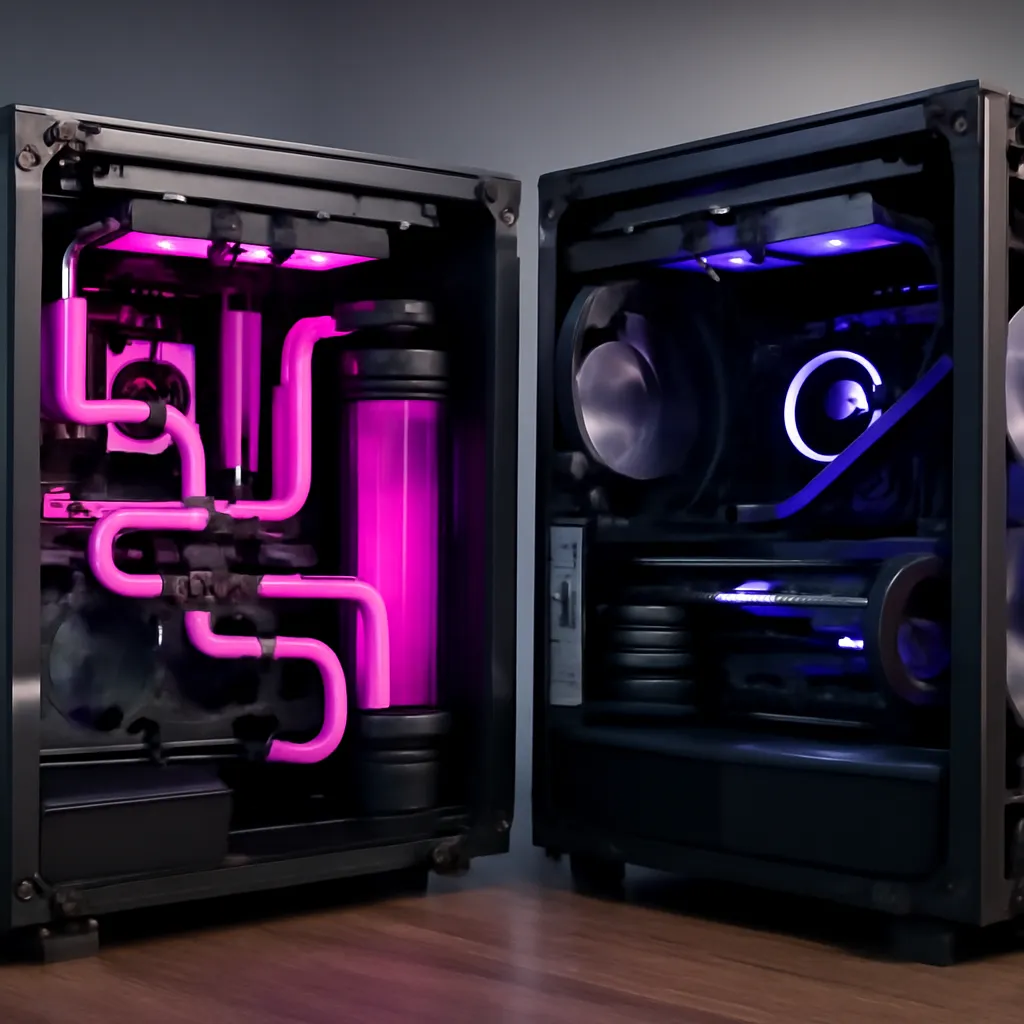
A custom loop is a fully customized system, assembled from scratch with individual components: pump/reservoir, radiator(s), water block, rigid or flexible pipes, connectors and cooling fluid.
Installation is much more complex and requires technical knowledge: you need to calculate water flow, choose compatible components, make threaded connections, apply thermal paste between block and CPU, fill and bleed the system (remove air bubbles) and regularly maintain internal cleaning.The assembly time can take from 4 to 8 hours for a beginner.
The cost is significantly higher: a custom loop of quality costs between R $ 1,500 and R $ 3,500+. In addition, you will have continuous expenses to re-drain and refill the system every 12-18 months, buy back cooling fluid (R $ 50-200) and eventually replace hoses or blocks that suffer wear or encalcification.
Performance: Which Cools Best?
In pure thermal dissipation terms, superior custom loops outperform AIOs by 5-10°C additional. This is because you can use much larger radiators (up to 480-560mm with multiple radiators in series) and higher quality components, as well as completely optimize the water flow.
For a Ryzen 9 7950X under heavy load, an AIO 360mm maintains temperatures around 70-75°C, while a well-made custom loop can keep the same CPU between 60-65°C. This difference allows for more headroom for aggressive overclocking and quiet operation at maximum frequencies.
However, for standard gaming without overclocking, the practical difference is minimal. Both systems maintain CPUs and GPUs at safe temperatures (below 85°C). The advantage of custom loop only materializes in extreme scenarios: severe overclocking, simultaneous streaming, rendering or extended benchmarks.
Maintenance & Durability
AIOs require virtually zero maintenance. As they are sealed, there is no risk of leaks, dust ingress or need to refill fluid.The service life is 5-7 years on average. The main care is to clean the radiator dust annually with a brush or air compressor.
Custom loops require regular and strict maintenance. Every 12-18 months you should completely drain the system, clean the water blocks and radiators to remove algae and mineral buildup (which reduce efficiency), and refill with new fluid. Rigid hoses can develop micro-cracks over time. At the slightest sign of leakage, you need to partially disassemble the system.
The risk of leakage is real in custom loops A poorly tight or worn connection can damage CPU, motherboard or GPU. It is recommended to test the system for 30 minutes in empty before connecting valuable electronics. Some enthusiasts use refractory fluid (more expensive) specifically to reduce this risk.
Which to Choose? Direct Comparison
Choose AIO if: You are casual gamer, want simplicity and maximum reliability, do not want to worry about maintenance, have a limited budget (up to $ 1,000) or is first time with liquid cooling. AIOs are ideal for mid-range to high-end CPUs without overclocking. Brands like Corsair, NZXT and Deepcool offer great value for money.
Choose Custom Loop if: You plan aggressive overclocking, want maximum thermal performance, appreciate manual work and aesthetic customization, have previous technical experience, are willing to invest R $ 1,500+ and devote time to maintenance. Custom loops are for enthusiasts, professional content creators and overclock competitors.
An increasingly popular medium is the AIO with upgradeable componentsithas systems that come ready but allow replacement of blocks or radiators.EK-Quantum brand models offer this flexibility.
Practical Installation: Essential Steps
For AIO: 1) Clean the CPU surface with isopropyl alcohol. 2) Apply thermal paste to the water block. 3) Attach the block to the CPU following documentation (usually with screws on the sides). 4) Mount the radiator and fans on the case (usually on top or in front). 5) Connect the block/pump power cable. 6) Install the control software (Corsair iCUE, NZXT CAM, etc.) to manage fans and LEDs. The whole process takes 30-45 minutes.
For Custom Loop: 1) Plan the flow (CPU 1 radiator GPU 2 radiator 2 reservoir 3 pump) Install reservoir and pump. 3) Put the water block on the CPU and GPU. 4) Mount radiators on the case with optimized orientation (fresh air entering, hot leaving). 5) Connect pipes with screw connectors, checking tightness (not much, not little risk of leakage). 6) Fill with fluid through top opening. 7) Connect the pump and observe bubbles leaving. 8) Check tightness 1 5 leak-1.
Total Realistic Cost
AIO 360mm: R$ 700-1,000 (device) + R$ 0 annual maintenance. Life span: 5 years.
Custom Loop initial: Pump/reservoir (R$ 300-500), radiators 360mm double (R$ 400-600), CPU and GPU blocks (R$ 500-800), tubes and connectors (R$ 200-300), fluid (R$ 80-150), tests (free). Total: R$ 1,500-2,350 + R$ 150-250 annual maintenance and fluid replacement.
AIOs come out cheaper in the first 3 years; after 5 years, both converge in price, but the custom loop offers more flexibility for future upgrades (new blocks, larger radiators, etc.).